
There are 2 sets of volume controls available:
-
Phone Volume
-
Camera's volume
Turning up the volume on your phone while within the app should increase the volume of the sound coming through the app. Please note that when you first arrive on your camera's live stream the audio is muted by default to protect your privacy.
To increase the volume on the camera so that people near the camera can hear you through it you will want to log into the application.
Once there access your application's settings page:
iSecurity+ Talkback Volume is located at the bottom of the settings page: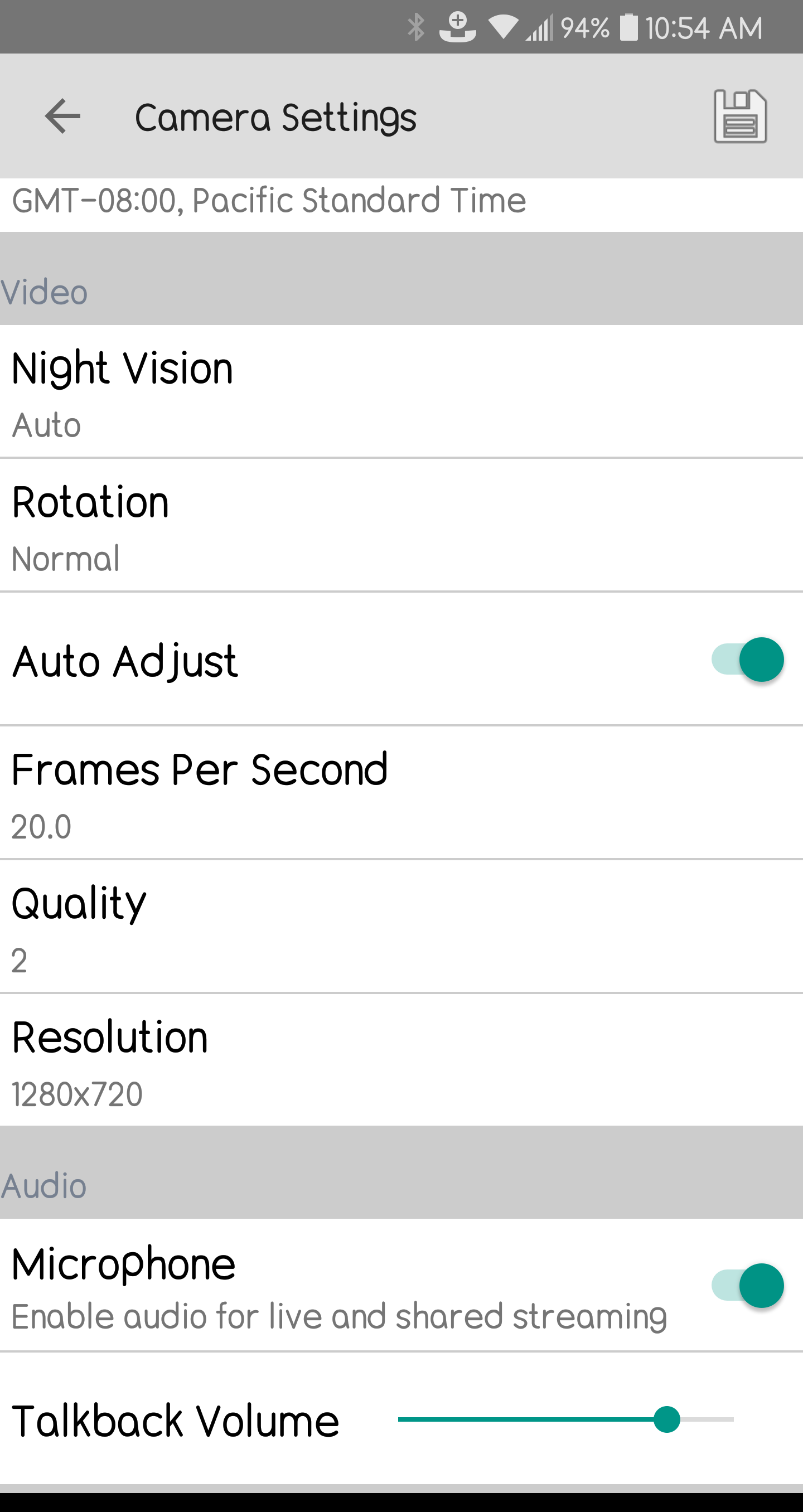
For the Tend and Tend Secure Apps, Talkback volume is right near the top as seen below: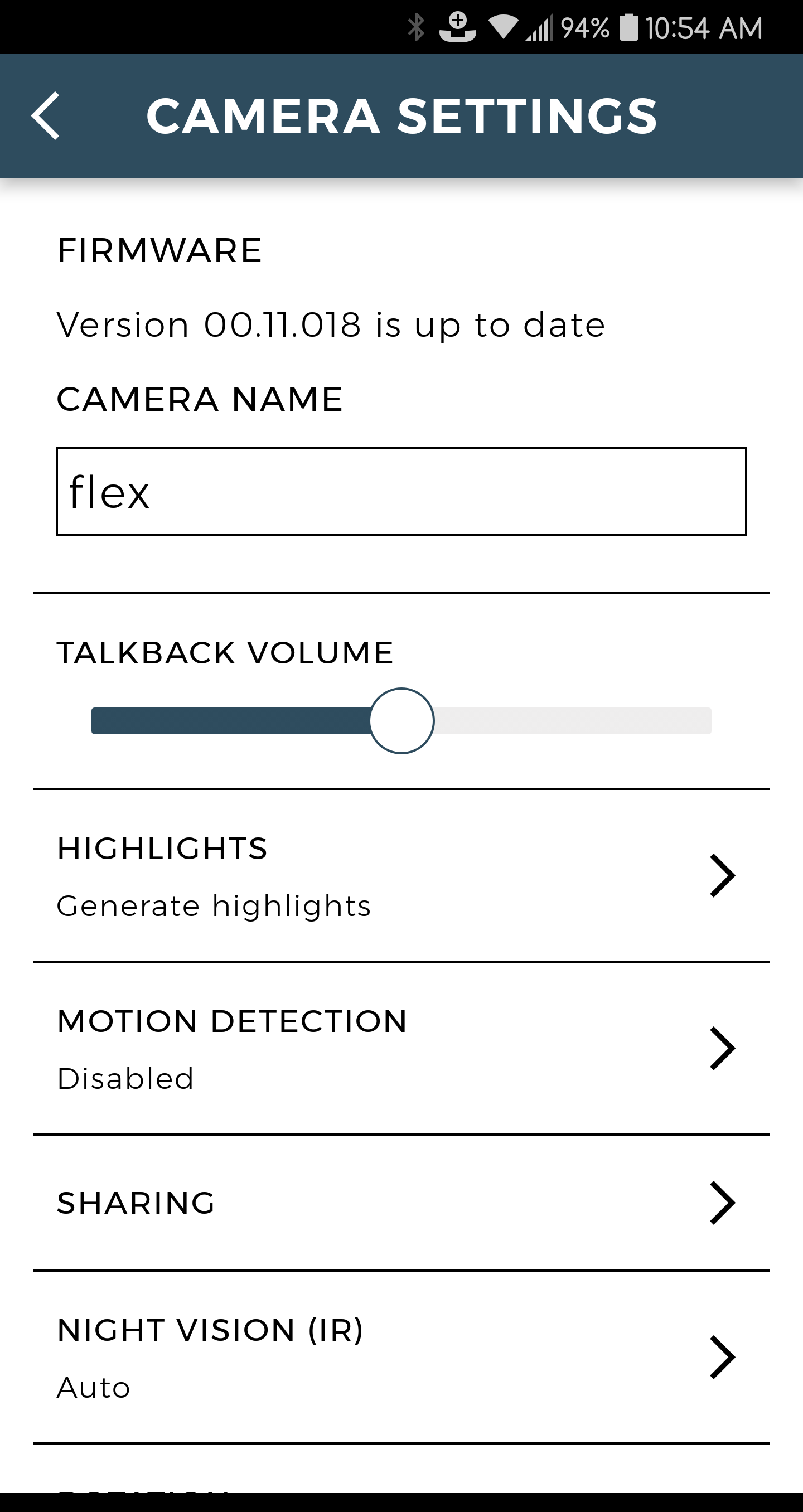
Adjusting the slider to the right will increase volume, the left will decrease.
Comments
1 comment
I haven't tried change in the audio talk and lowering it and hiring it to see if I could get rid of the cracking noise but it's still there, plus the lucky camera is not recording. The color on the IAnna camera is working as of now but the lucky camera is still not recording. And they're cracking noise I have adjusted at times and it's still there.
Please sign in to leave a comment.